

Used by developers at

 Meta
Meta


 Salesforce
 Spotify
 Huawei
 Qualcomm

 Atlassian
 Databricks
 Shell
Shell AT&T
AT&T DoorDash
 Bosch
Bosch

- STEP 1AskDescribe the change. Or just say it out loud.
- STEP 2Read the planSee what it intends before anything moves.
- STEP 3ApplyTick the changes you want. Done.

How a change reaches your code
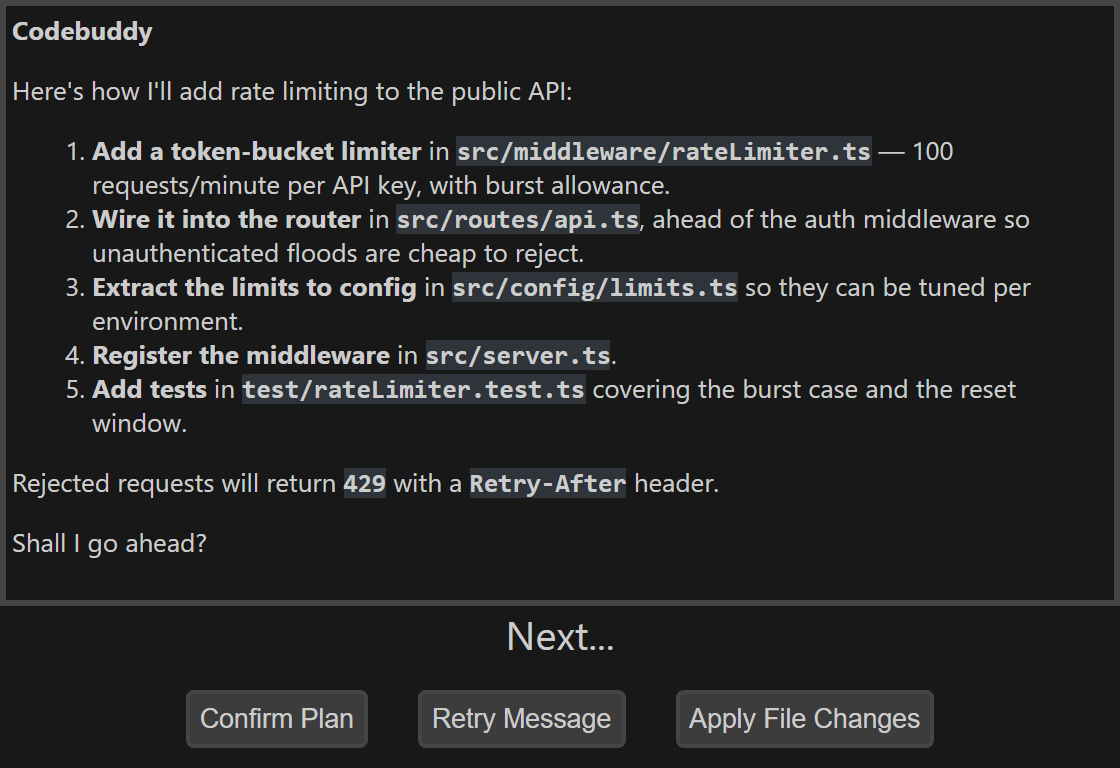
It plans before it writes
By default, you see the plan before a single file is touched. Confirm it, refine it, or send it back.

A diff, in your IDE
Changes come back as a unified diff in VS Code’s merge editor or JetBrains’ own diff viewer. The format you already read.
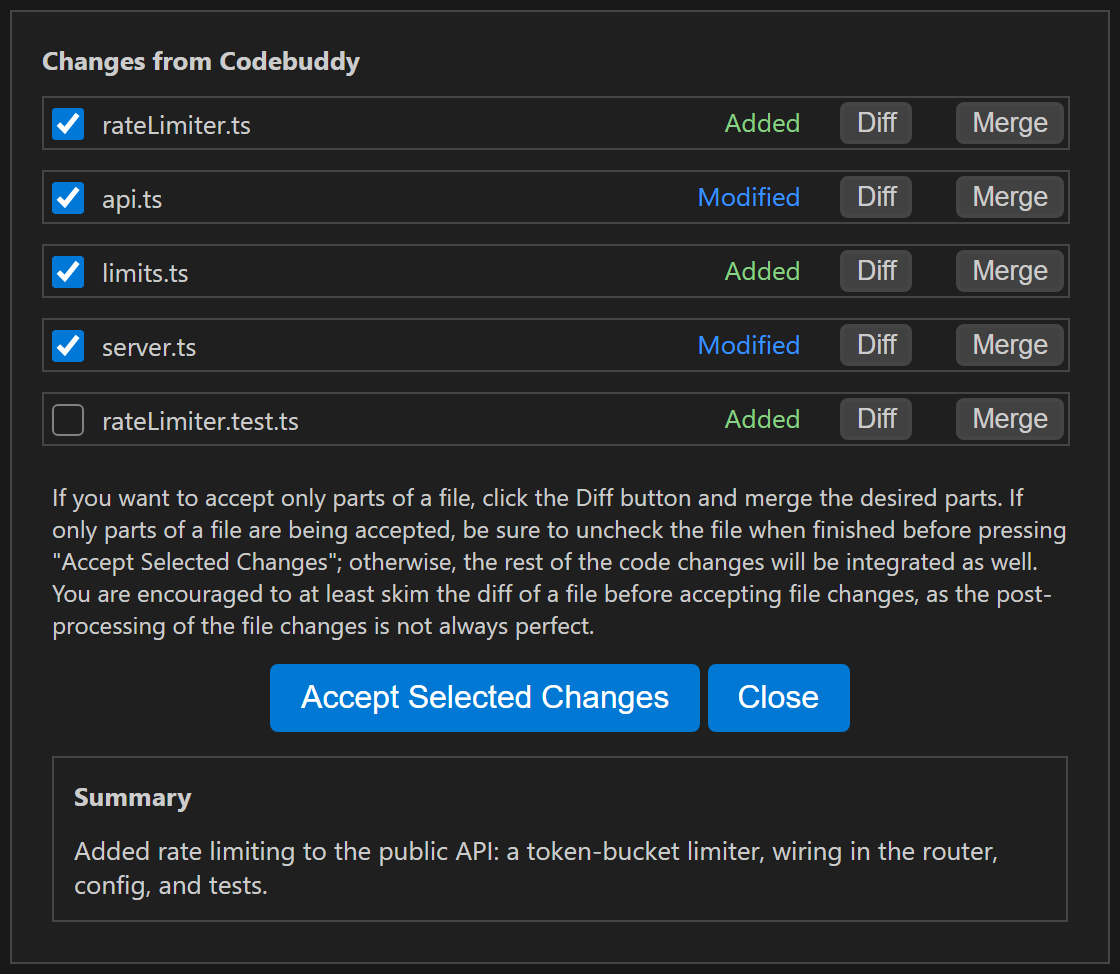
Accept selected changes
Every changed file gets its own checkbox. Keep the ones you agree with, merge parts of the rest. Never all-or-nothing.

You decide what it sees
Your open files go into the prompt. Add or remove any of them, so you know exactly what it’s working from.

It knows your codebase
Scans your repo so it can find the files that matter — and answer questions about code you’ve never read.

Two-way voice, built in
Talk to it, and it talks back. It reads the plan aloud so your eyes stay on the diff.

Native VS Code + JetBrains plugins
Real plugins — not an editor fork. Your keybindings, your settings, your diff viewer.
2000 Credits per month
Leftover Credits transfer to the next month
4500 Credits per month
Leftover Credits transfer to the next month
10000 Credits per month
Leftover Credits transfer to the next month
20000 Credits per month
Leftover Credits transfer to the next month
How do credits work? What are they for?
Credits are the currency used on Codebuddy to make requests to different AI models.
Each time you ask Codebuddy to do something, it costs a certain number of credits
depending on the model you're using for the main portion of the request.
Each time you ask Codebuddy to do something, it costs a certain number of credits
depending on the model you're using for the main portion of the request.
Claude Fable 5.1
66 Credits / request
GPT 6 Astra
66 Credits / request
Claude Opus 5.5
33 Credits / request
Kimi K3
28 Credits / request
Claude Sonnet 5.5
24 Credits / request
Claude 4.5 Sonnet
22 Credits / request
Claude 4.6 Sonnet
22 Credits / request
Gemini 3.1 Pro
22 Credits / request
GPT 6.1 Sol
18 Credits / request
Gemini 3.5 Flash
14 Credits / request
Gemini 3.0 Flash
13 Credits / request
DeepSeek V4 Pro
10 Credits / request
Grok 4.3
10 Credits / request
Claude Haiku 4.5
9 Credits / request
Gemini 2.5 Flash
9 Credits / request
Gemini 3.1 Flash-Lite
3 Credits / request
GPT 6 Luna
2 Credits / request